

AutoCAD 2D – Mechanical & Civil Drafting
AutoCAD 2D is the industry-standard software for creating precise 2D drawings and drafting in mechanical and civil engineering. It enables engineers, architects, and designers to convert ideas into accurate technical drawings, ensuring smooth communication between design and construction teams.
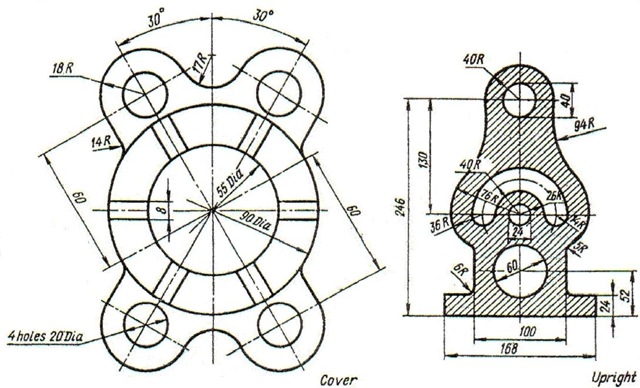
Course / Subject Modules
1. Introduction to AutoCAD
- Interface, commands, and shortcuts.
- Drawing units, limits, and scales.
- Layers, line types, and object properties.
Image idea: AutoCAD interface with grid and drawing tools.
2. Basic 2D Drafting
- Drawing lines, circles, arcs, polylines.
- Editing tools: trim, extend, offset, mirror, fillet, chamfer.
- Coordinate systems (absolute, relative, polar).
Image idea: Simple 2D part drawing using line and circle tools.
3. Dimensioning & Annotations
- Linear, radial, angular, and ordinate dimensions.
- Text styles and annotations.
- Title blocks, borders, and sheet setup.
Image idea: Mechanical drawing with proper dimensions and annotations.
4. Mechanical Drafting Applications
- Machine component drawings (gears, shafts, flanges).
- Assembly drawings & exploded views.
- Sectional views and detailed manufacturing drawings.
Image idea: 2D gear or flange drawing with section view.
5. Civil Drafting Applications
- Architectural floor plans (rooms, doors, windows).
- Structural layouts (beams, columns, foundations).
- Site plans, road layouts, and drainage drawings.
Image idea: 2D floor plan of a small house in AutoCAD.
6. Blocks & Attributes
- Creating and using standard blocks (doors, windows, bolts, nuts).
- Attributes for data-rich objects.
- Libraries for mechanical & civil symbols.
Image idea: Library of AutoCAD symbols for civil/mechanical use.
7. Plotting & Printing
- Model space vs. paper space.
- Viewports and layouts.
- Plotting drawings to PDF or scaled prints.
Image idea: AutoCAD layout with multiple viewports ready to plot.
Applications of AutoCAD 2D
Mechanical Engineering
- Machine component drafting.
- Assembly drawings for manufacturing.
- Tool, jig, and fixture design.
- Fabrication drawings for sheet metal.
Civil Engineering
- Architectural floor plans.
- Structural detailing (steel & RCC).
- Road & highway alignment drawings.
- Drainage, piping, and plumbing layouts.
Career Opportunities
After completing AutoCAD 2D (Mechanical & Civil), students can work as:
- Mechanical Draftsman
- Civil Draftsman
- CAD Technician
- Design Assistant in construction & manufacturing firms
- Junior CAD Engineer in MEP & Infrastructure
Why Learn AutoCAD 2D?
✅ Widely used in manufacturing, construction, and infrastructure.
✅ Foundation for learning 3D CAD tools like SolidWorks, Revit, or CATIA.
✅ Enhances job prospects for draftsmen, designers, and engineers.
✅ Provides accurate, industry-ready drawings for real-world projects.
⚡ Mastering AutoCAD 2D Mechanical & Civil gives you the ability to create professional technical drawings that bring engineering designs to life.